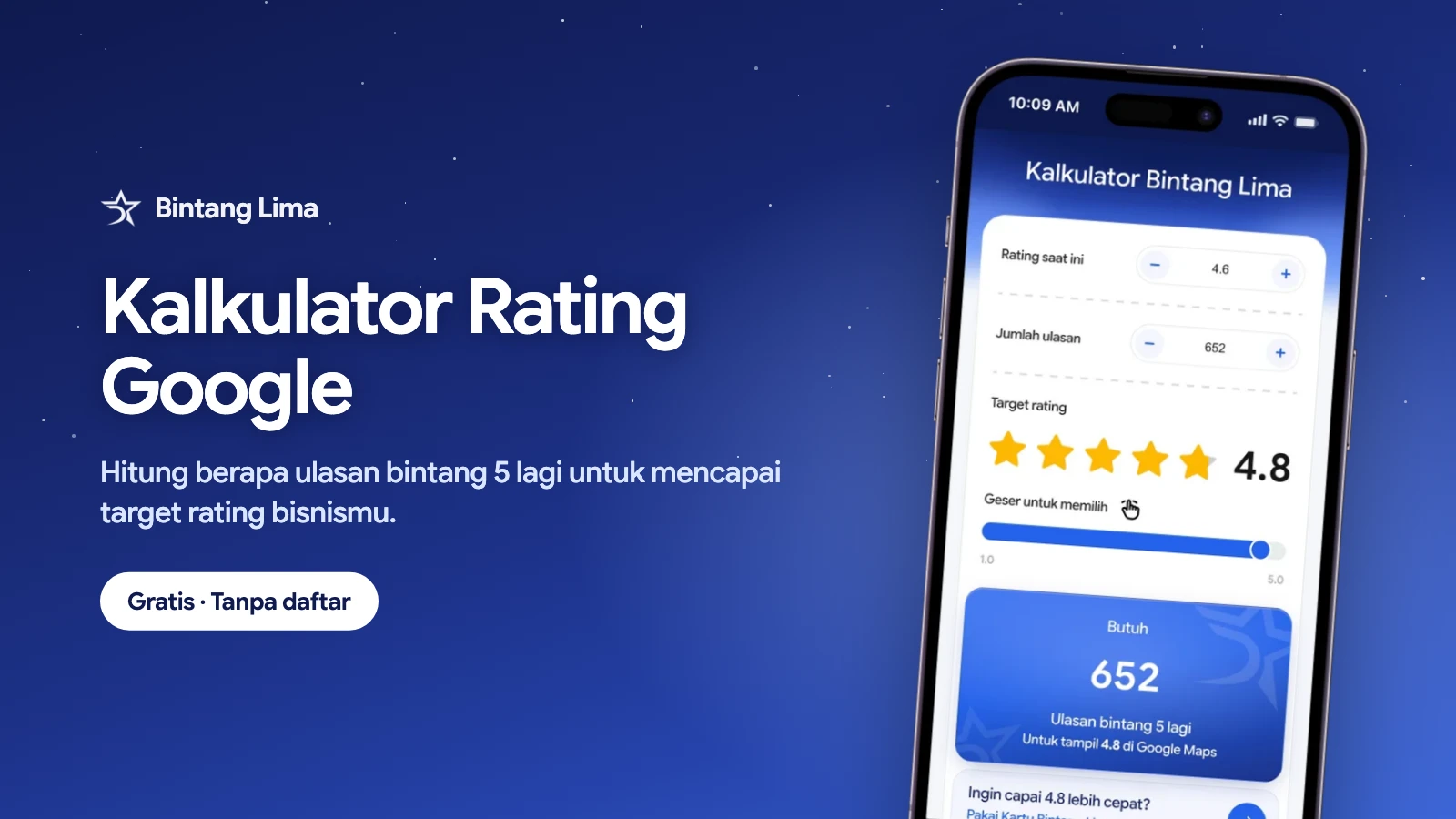
Your Google rating is 4.2. The competitor next door has 4.6. It looks like a small gap, but how many reviews do you actually need to catch up? The Google rating calculator from Bintang Lima answers that in seconds. It's free, and you don't need to sign up.
In this article, we'll cover how to use it, then what you should do once you have your number.
What is the Google rating calculator?
The Google rating calculator is a free tool that estimates how many more 5-star reviews you need to bring your business's Google Maps rating up to a specific target.
How to use the Google rating calculator
First, grab two numbers from your business profile on Google Maps: your rating and your review count. The calculator is in Indonesian for now, so we've included the English meaning of each label. Then:
- Open the rating calculator.
- Enter your current rating under Rating saat ini, for example 4.2. A comma works too, it gets tidied up automatically.
- Enter your review count under Jumlah ulasan, for example 120.
- Slide Target rating to the number you want.
The result shows up right away, no button to press. Try moving the target around a few times to see how the number changes.
For example, a business with a 4.2 rating from 120 reviews needs:
- 72 more 5-star reviews to reach 4.5
- 120 more 5-star reviews to reach 4.6
- 360 more 5-star reviews to reach 4.8
See that? The higher the target, the faster the number climbs. Going from 4.6 to 4.8 alone takes another 240 reviews.
Keep two things in mind when you read the result. First, the calculation assumes every new review is 5 stars, and in real life some people will give 4 stars or lower. So treat the number as a minimum.
Second, if you set your target to 5.0, the calculator will tell you it can't be reached. As long as there's even one review under 5 stars, your average will never be exactly 5.0. A more sensible target is 4.9.
Got your number. Now what?
The number only helps if you turn it into a plan. Here are the steps you can start on right away.
Pick a realistic target
You don't have to chase 4.8 from day one. If your first target takes hundreds of reviews, your team may burn out before they see any results. Start with the nearest target, like going from 4.2 to 4.5. Once you hit it, raise the bar.
Break it down into weekly goals
Divide the reviews you need by how many you can realistically get each week. In our example, 72 reviews at 6 reviews a week takes about 12 weeks, or roughly 3 months.
Check how many reviews come in each month. If you have plenty of customers but few reviews, the problem is usually how you're asking.
Make leaving a review easy
Plenty of customers are happy to leave a review, they just can't be bothered to look up your business on Google Maps first. The fewer steps it takes, the better the odds they'll actually write one.
You can send your review link over WhatsApp after a sale, or put a QR code near the register. For something even simpler, customers just tap their phone on the Bintang Lima card, or scan its QR code, and they land right on your Google review page.
Ask every customer, with no rewards
This part really matters. Asking for an honest review is fine, but Google's policy doesn't allow you to:
- Offer discounts, gifts, or any other reward for a review
- Force customers to write a review on the spot
- Buy reviews or post fake ones
The risks are real. Reviews can be removed, and your business profile can be restricted so it can't receive new ones. Rather than get a quick bump and then a problem with your profile, it's better to go slow and stay safe.
Asking doesn't have to be complicated either. Just say, "If you don't mind, we'd love a Google review from you." If they'd rather write it later at home, that's fine too.
Reply to your reviews
A short thank-you is enough for positive reviews, just try not to copy and paste the same one. If a review is negative, don't get defensive. Acknowledge the problem, then offer a way to fix it. Future customers read your replies too, and that's how they judge the way you handle problems.
Recalculate every month
Your rating and review count will keep changing, so put your latest numbers into the calculator once a month. You'll see how many reviews are left to go, and whether your current pace is enough.
Got your number? Then you know your target. Now make it easier for customers to leave a review, and keep at it week by week.
Want to make leaving a review easier for your customers?
With the Bintang Lima card, customers just tap or scan and land right on your Google review page. No need to look up your business on Google Maps first.